
Indoor Golf Simulator Scheduling: How to Auto-Assign Bays and Prevent Overbooking
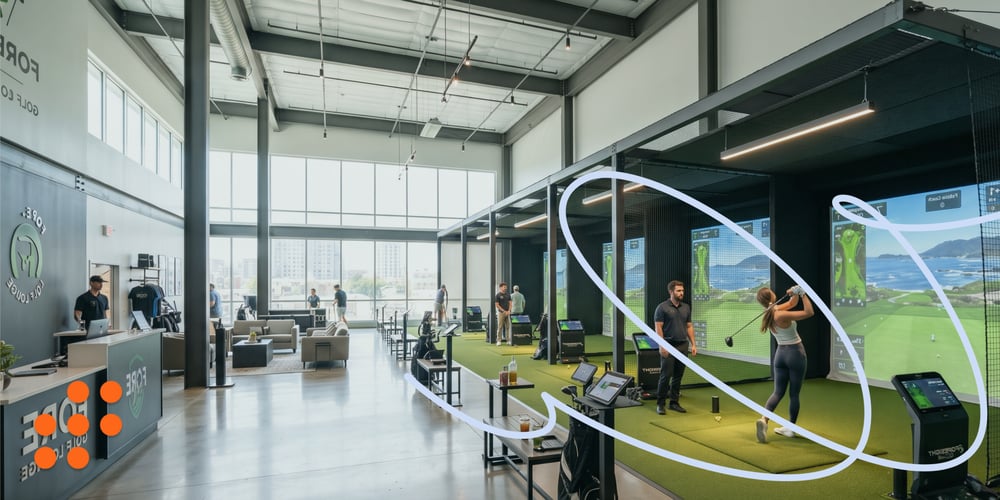
Indoor golf centers and high-tech academies rely on a critical profitability metric: Maximum Bay utilization. However, managing multi-bay facilities manually, or using basic calendars, often leads to a nightmare of double bookings, underutilized bays, and frustrated clients waiting for a time slot. Unlike traditional outdoor coaching, where a pro simply meets a student on the range, scheduling on an indoor simulator requires coordinating three separate assets simultaneously: the coach, the physical simulator bay, and the specific launch monitor technology. When these moving parts are tracked manually, administrative errors double-book bays, force coaches to scramble for available tech, and leave expensive bays sitting completely empty during peak revenue hours. To maximize square-footage revenue and eliminate operational friction, modern indoor facilities must implement intelligent, multi-resource scheduling. By leveraging a platform like ProAgenda, indoor centers can automatically assign bays based on lesson type, prevent double-booking, and unlock hands-off self-service rentals for practice sessions.
The mechanics of multi-resource dependency
A lesson reservation involves more than just selecting a time slot; it represents a complex dependency chain of multiple resources. Typical scheduling software often treats calendars as isolated entities, failing to account for interdependencies among them. For example, if a coach books a lesson manually, the system might only confirm the coach’s availability without verifying whether a specific bay, such as bay #3, is already reserved for solo practice or other activities. Automated resource management systems are designed to enforce dependency rules, ensuring that when one element is booked, all connected resources, such as the physical bay and necessary hardware, are automatically reserved. This approach helps prevent scheduling conflicts and optimizes resource utilization across the facility.
Auto-assigning bays based on service and tech requirements
Not all simulator bays are built to the same specifications or equipped with the same features. For example, Bay 1 might be outfitted with advanced force plates to analyze force output, while Bay 2 could be optimized for high-speed video analysis to capture detailed motion. Bay 3, on the other hand, might be designated as a standard-practice bay, suitable for general training. The system intelligently assigns bookings by dynamically routing them to the appropriate bay based on the selected services. When a student books a specific lesson, such as a particular training module, the system automatically displays only the available times for that resource, ensuring efficient scheduling and resource utilization.
Preventing overbooking & buffer time mismanagement
Back-to-back 60-minute bookings leave no transition time, often causing overlapping schedules. When a student finishes at 2 PM, their departure overlaps with the next client's arrival, leading to crowded lobbies and delays. To address this, ProAgenda’s automated padding rules insert customizable buffer times between simulator reservations. These buffers give players adequate time to pack up their equipment, enable staff to reset the technology, and prevent schedule drift, ensuring smoother transitions and better overall timing.
unlocking self-service by rentals
Simulator bays should be capable of generating revenue even when professional instructors are not conducting lessons. Automated booking pages enable members and the public to easily reserve, pay for, and access simulator time online, whether for self-practice sessions or virtual golf rounds. System rules are designed to protect peak coaching hours, ensuring they remain available for lessons, while automatically filling off-peak periods with recurring rental income to maximize revenue opportunities throughout the day.
Centralized real-time facility dashboard
Using spreadsheets or paper sheets at the front desk often leads to miscommunication between the pro shop staff and the teaching professionals. Implementing a unified grid view provides a comprehensive overview of bay status, current occupants, resource assignments, and payment statuses accessible on both desktop and mobile devices. This system ensures that staff always have up-to-date information on which bays are occupied, free, or unavailable, thereby improving coordination and reducing errors.
Indoor simulator bays are high-value real estate. Operating them without automated, multi-resource scheduling creates operational chaos, risks overbooking, and leaves money on the table through unoptimized bay allocation. Automating your bay reservation process transforms your indoor facility from a chaotic calendar hassle into a smooth business. Dedicated platforms like ProAgenda handle the complex logic of matching pros, bays, and technology automatically, protecting your client experience and maximizing profitability from every hour your doors are open.
Tired of double bookings at your simulator bays? Discover how ProAgenda automates multi-resource scheduling to optimize your facility and boost your indoor revenue today!

Managing Director & Product Expert at ProAgenda. Jordy joined ProAgenda eight years ago, bringing a strong background in finance. Besides steering the company’s operations and finances, he has built years of hands-on sales experience with golf professionals and academies, and uses those insights to keep improving the platform.

Read about Drive in Golf
Meet Nigel Bratton, PGA Professional and Co-owner of Drive In Golf, an indoor golf facility in Derby with four PGA Pros. Drive In Golf has been open for nine weeks, starting immediately with the ProAgenda booking system, so they are excited to share their experience with you!
Get 30-day free access to our platform.
Start your free trial, set up your account, and be ready for business. No strings attached.