Great companies made by great people
Show your availability in real-time, accept your payments online, send coaching to your clients, and much more in one system.
How can great resource management add value to your academy?
An integrated resource management tool in a booking system like ProAgenda is the difference between simply “taking appointments” and truly “optimizing a business.” A basic booking tool only tells you who is coming and when. Resource management goes a level deeper by controlling every bay, simulator, coach, and piece of technology.
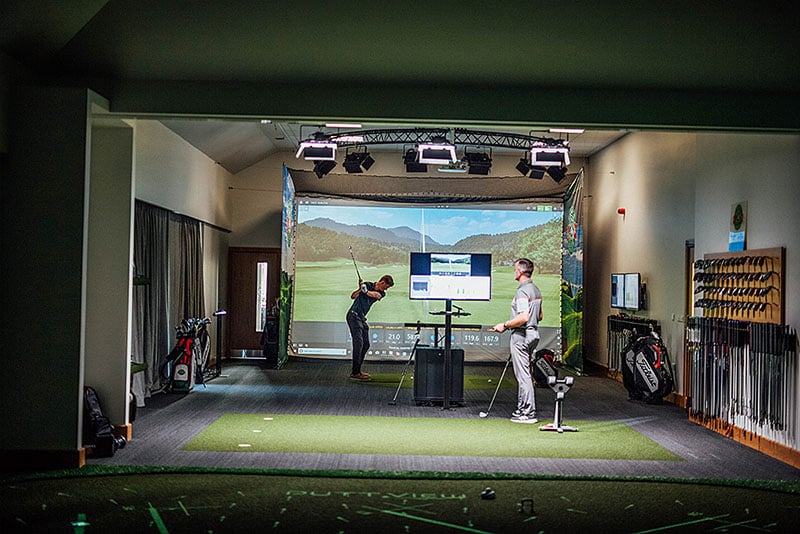
With smart resource management, the system automatically tracks which hitting bays, simulators, and TrackMan units are available at any given time and only offers time slots that can actually be delivered. You avoid situations where a lesson is booked, but every bay is already in use.
This means:
- No more manual checking of charts, spreadsheets, or whiteboards
- More efficient use of every bay, simulator, and coach on your team
You can trust that every booking is backed by real-time availability of your resources—helping you run a smoother, more profitable academy.
How can I use pricing periods with my resources?
The Pricing Periods feature in ProAgenda is a strategic tool designed to give academy owners and pros total control over their revenue based on time-sensitive demand. Instead of a "one-size-fits-all" price, this feature allows you to automate price fluctuations based on the date and time of the booking.
The most common use for pricing periods is to incentivize bookings during quieter hours. By setting lower rates for weekday mornings (Off-Peak) and premium rates for evenings and weekends (Peak), you can balance your schedule and maximize your facility's utilization.

How do I add a resource to my academy?
In this article, you’ll find a clear, step-by-step guide to adding a new resource to your academy. By following these steps, you can set up any type of resource you want to make available for booking, such as simulators, practice bays, courts, or teaching rooms.
We’ve also included a direct link to the relevant settings page so you can easily follow along and set up your resources right away.

Bookable courts, simulators and bays
For sports facilities and academies, ProAgenda turns every court, bay, and simulator into a clearly organized, revenue-generating asset. Each resource becomes a bookable item in your system with its own rules, pricing, and availability, so you always know exactly what is in use and what is still open to sell.
Instead of juggling separate spreadsheets, paper diaries, or standalone court management tools, everything is managed in a single, central digital schedule. This gives your team a single source, reduces mistakes and double bookings, and makes it easier to optimize occupancy across all your resources, especially during peak times.

.jpeg?width=550&height=481&name=IMG_6121%20(1).jpeg)